Swift for Windows
The most recent build for this project can be downloaded from SwiftForWindows-2.0.exe.
Newer release builds for Swift 5.x for Windows can be found at https://swift.org/download/#releases.
Swift for Windows 2.0 Released
Includes Swift 4.1.3 compiler
Posted by Han Sangjin on Oct 9, 2018
System Requirement
How to use «Swift for Windows»
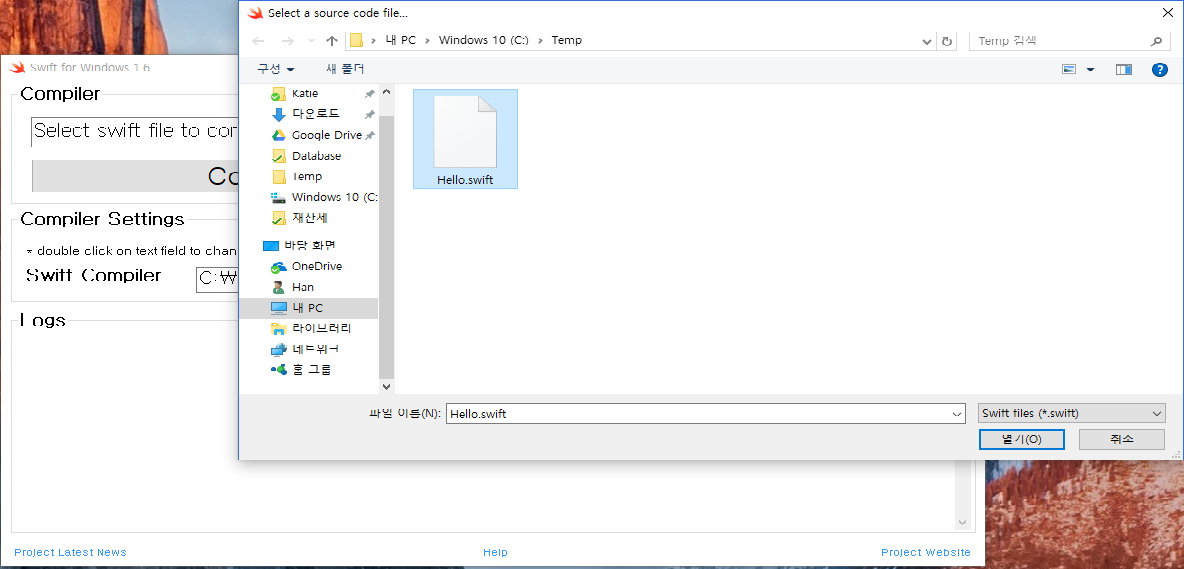
Step 1: Write a basic program in Swift with your favorite editor. 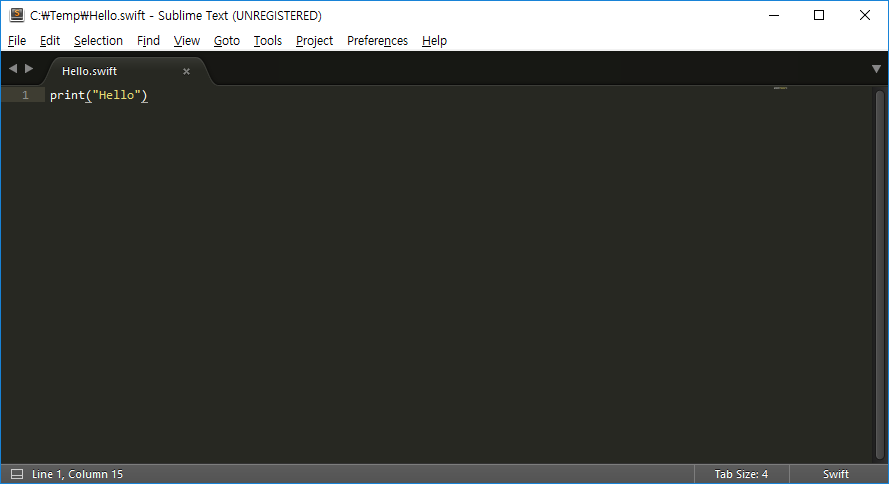 Step 2: Open «Swift for Windows 1.6» and click ‘Select File’ to choose your file.
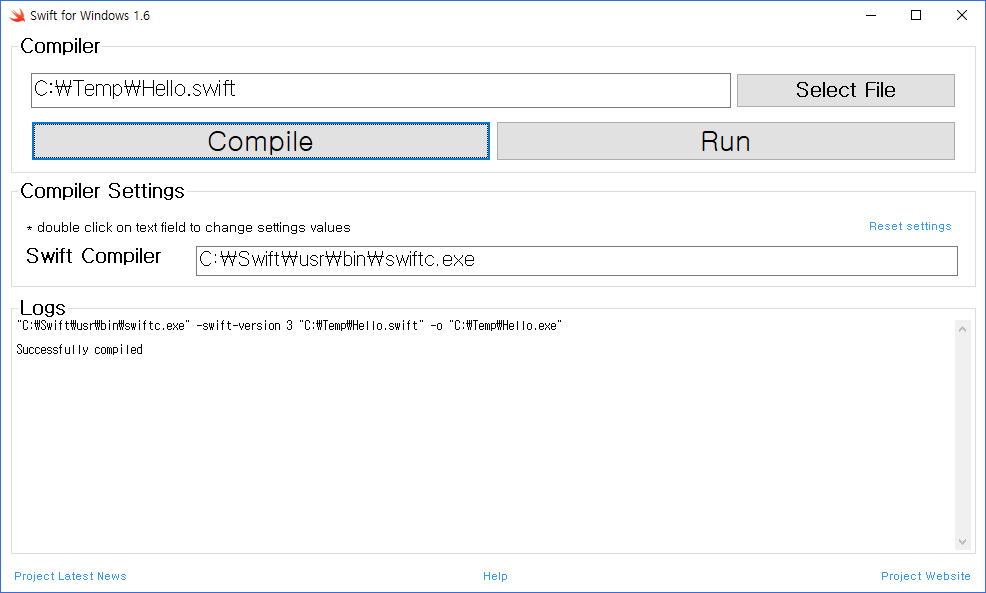
  Step 3: Click ‘Compile’ to compile your program.
  Step 4: Click ‘Run’ to run on Windows.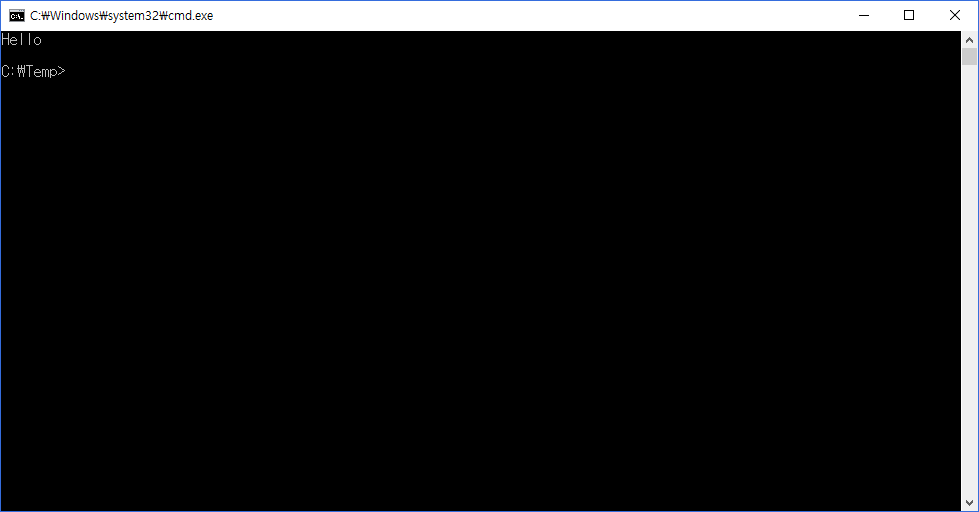
wxSwift alpha version
Above GUI program is written in Swift and the source is included. You can write an experimental wxSwift program as follows.