What is Gigabit Master-Slave Mode? (Explained)
Intel is undoubtedly one of the largest and best manufacturers for hardware equipment for most PCs. The throne for making the best motherboards, processors, and other hardware peripheral has been for intel over the decades and does not seem to be going away anytime sooner. Intel is not only known for its commendable processors, logic boards, and graphic cards but they also manufacture some of the best networking equipment including the cards that ensure high-speed internet connectivity for any PC. Another reason for people to choose and love intel hardware is their software optimization suits that ensure a fully optimized and controlled experience on the device that you have.
What is Gigabit Master-Slave Mode?
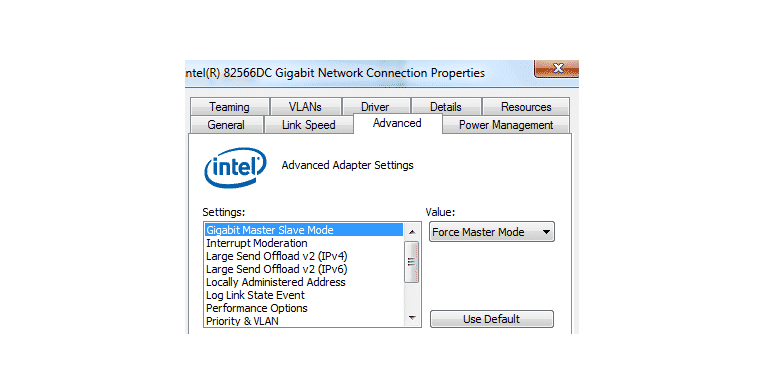
Gigabit master-slave mode is one such option that you can enable on Intel cards. With most intel ethernet adapters, you will be able to install the Intel network controller that not only works as a driver for the hardware component but also allows you to have better control over all the resources of your intel network card. It also allows you several modes that you can choose to enhance the network efficiency such as Gigabit master Slave mode.
The data is being transferred from both the link and adapter simultaneously for any given network. The sender is known as master and receiver as a slave in technical terminologies. Gigabit Master-Slave Mode allows you to choose either the adapter or link partner is designated as a master in your internet network. This only works for the compatible devices and changing these settings can enhance the link quality over certain link partners. This is worth giving a try as you can choose to have your PC adapter be the master to control the network traffic and improve speed, or you can designate the link as master if you think you have a faster internet connection and it will improve your internet speed and link quality, you can choose the link partner to be the master.
Forced Master mode
There is also an option known as a forced master mode. In optimal conditions, your driver will automatically choose the best option for you or allows you to have your choice on the matter if both adapter and link partners can support such settings. However, on several-multiport devices, you will not be able to get it to master mode unless you choose forced master mode.
These devices can be forced to master mode but you will either have to lose internet connectivity since they don’t support the mode, or your link will be forced down to 100-Mbps. This problem can happen with a forced slave mode as well. So, it is recommended that you only use the settings that are available and supported by your devices to ensure optimal connectivity with the internet and use the full potential of your network link.
Gigabit master-slave mode can be accessed from advanced network settings in the intel networking assistant and you can choose it according to your preference if you know what you are doing.